Your saved travel videos. One trip map.
Paste a travel video, approve the places, and keep your trip ideas together.


Scan to download on iPhone
Free to download. Optional Locivia Pro upgrade.
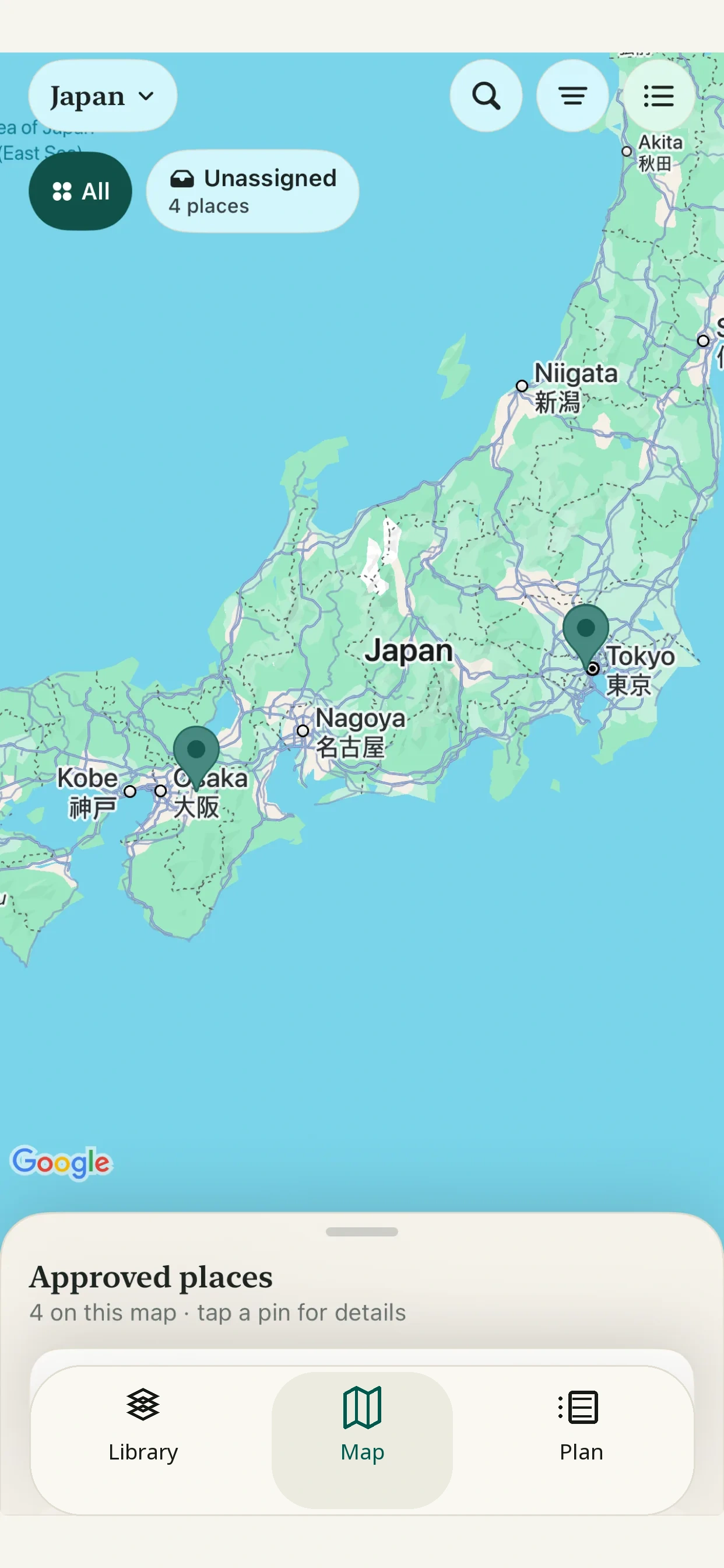
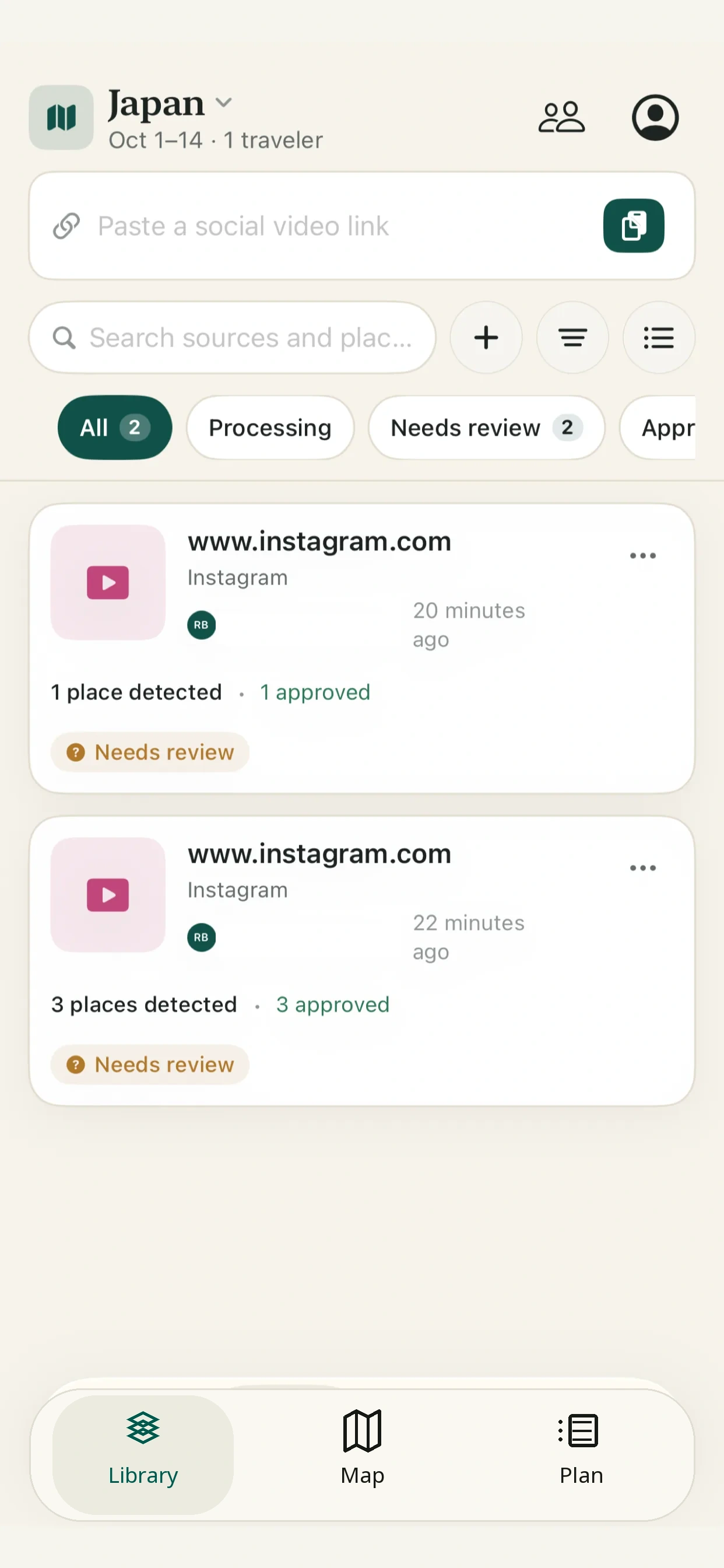
From saved video to saved place.
- 01
Paste a link.
Add it to the trip you’re planning.
- 02
Review the places.
Approve, correct, or remove each match.
- 03
See them on your map.
Only approved places become pins.
Supports public Instagram Reels, Facebook Reels, TikTok videos and YouTube Shorts.
One trip. Everyone’s ideas.
Invite your travel companions to add links and see approved places on the same map.
No destination yet? Start an Anywhere trip.
Current Locivia Library screen
Simple pricing
Start free. Go further with Pro.
Free
$0
15 successful video imports to get started.
Lifetime allowance
Locivia Pro
US$24.99/month
or US$179.99/year, billed annually
- 300 successful video imports per billing month, shared across the trip.
- One pool for the host and up to 3 invited travelers (4 people total).
US App Store pricing shown. Local pricing may vary.
One successfully processed video counts as one import, even if it finds several places.
Full pricing detailsQuestions
The useful details.
Locivia is an independent travel-planning service and is not affiliated with or endorsed by Instagram, Meta, TikTok, YouTube or Google.
Which video links work?
Public Instagram and Facebook Reels, TikTok videos, and YouTube Shorts are supported. Some private, removed, restricted, or unreadable videos cannot be processed.
What counts as an import?
One supported video counts after Locivia finds at least one verified place candidate. One video is still one import when it finds several places; failed, unsupported, and duplicate links do not count.
Can I share a trip?
Yes. Invite up to three companions to add links and see approved places in that shared trip. Their imports use the host’s shared allowance; an invite does not reveal other trips.
Can I collect places before choosing a destination?
Yes. Start an Anywhere trip, then collect and review ideas there until a destination takes shape.
Make something of your saved videos.
Free to download. Optional Locivia Pro upgrade.